Windows, curtains & fittings
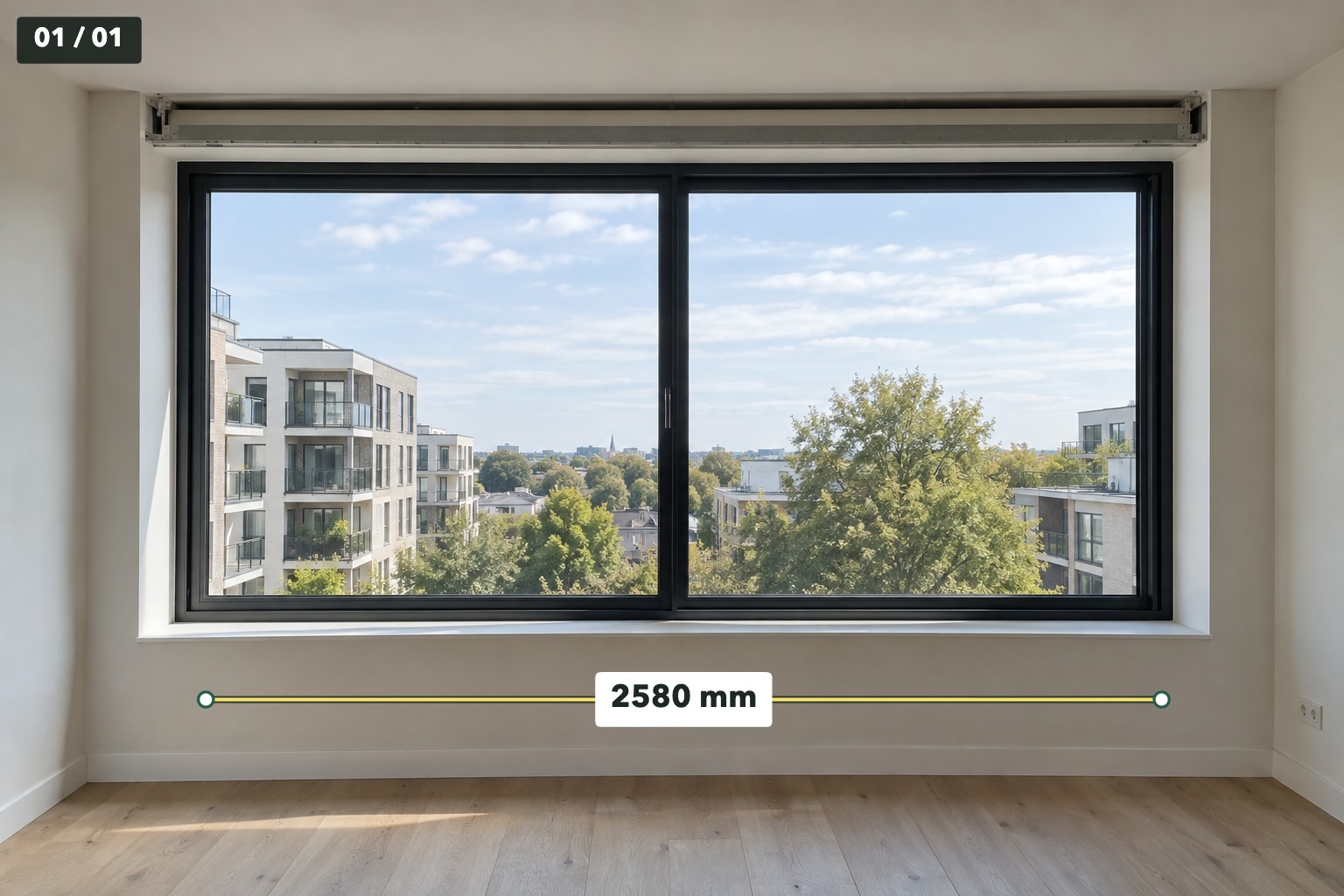
Mark the width or height you measured, right beside the opening you want someone to check.
Put the size exactly where it belongs. Add dimensions and short notes to your photos, then send a clear JPEG.
Start with a photoNo MeasureSend account. No photo upload.
JPEG & PNG in · JPEG out
Enter the value and unit yourself.
Save a new JPEG with your marks.
Select one photo or a numbered batch.
Open JPEG or PNG photos from your device. Select several together or drop them into the editor.
Tap two points or drag a dimension line, then enter the measured value and unit. Add a short note where it helps.
Finish each photo and review your selection. Save JPEGs or use the browser’s share sheet where file sharing is supported.
Mark the width or height you measured, right beside the opening you want someone to check.
Send a doorway, wall or shelf photo with your measured sizes before discussing fit.
Put dimensions and short notes on the relevant photos. Send only the finished photos, in your chosen order.
$0
USD · no purchase needed
$9.99
USD · one-time PayPal purchase
No subscription, ads or watermark. The purchase is for the web version only and is separate from iOS and Android app purchases. Batch export requires an internet connection and purchase verification. Save your recovery code file.
No. MeasureSend Web is a photo annotation utility for your web browser. You measure the real object and enter the value and unit. Moving a line does not change the number you entered. It supports mm, cm, m, in and ft.
Choose JPEG or PNG photos. Results are new JPEG files with your marks and a sequence badge. Recipients can view them without MeasureSend. A purchased batch is a ZIP containing ordinary JPEGs.
The editor runs in your web browser and needs JavaScript and browser storage. No MeasureSend account or installation is required. An optional purchase is processed by PayPal.
Use Save to device to download a JPEG or a purchased ZIP. Share photos opens a file share sheet only where the browser and operating system support it. If sharing is unavailable, save the JPEGs and attach them yourself.
Use Save work file to keep a .msw backup, then Open work file to continue. Browser drafts are local to that browser and can disappear when browser data is cleared or storage is unavailable. Exported JPEGs are finished images, not editable work files.
Yes. Save the recovery code file after purchase. Open Buy or restore in another browser or on another device, paste the code, and select Restore. Keep the code private. Mobile app purchases do not unlock this web version.
Email info@polenest.com from the address used for the PayPal payment. Include the PayPal transaction reference, payment date and your request. Do not send passwords, card details, photos or your full recovery code. A confirmed full refund or payment reversal removes batch access.
Try editing and exporting one photo for free.